Phase 1: prove a customer and a market
Define the service area, event types, customer groups, and product categories the business intends to serve. Interview venues, schools, churches, planners, and parents. Record the products, dates, surfaces, access problems, and budget ranges they mention. Review local competitors for availability and service gaps, not merely price.
Do not advertise an item as available before the operation can provide it. Draft listings and collect interest transparently, partner with established operators for overflow, or test demand with referral relationships. The purpose is to learn what customers will actually book at a workable price.
Phase 2: establish the legal, insurance, and safety foundation
Choose the business structure, registrations, tax setup, banking, contracts, and bookkeeping process with qualified local professionals. Requirements vary by state, county, city, venue, and attraction. Confirm insurance coverage with a broker who understands inflatables and event rentals; do not assume a general policy covers every unit or activity.
Build written inspection, anchoring, weather, wind, cleaning, incident, and removal procedures from manufacturer instructions, insurer requirements, and applicable rules. Keep equipment documentation and training records accessible. Safety is not a paragraph in the contract; it is a repeatable operating system.
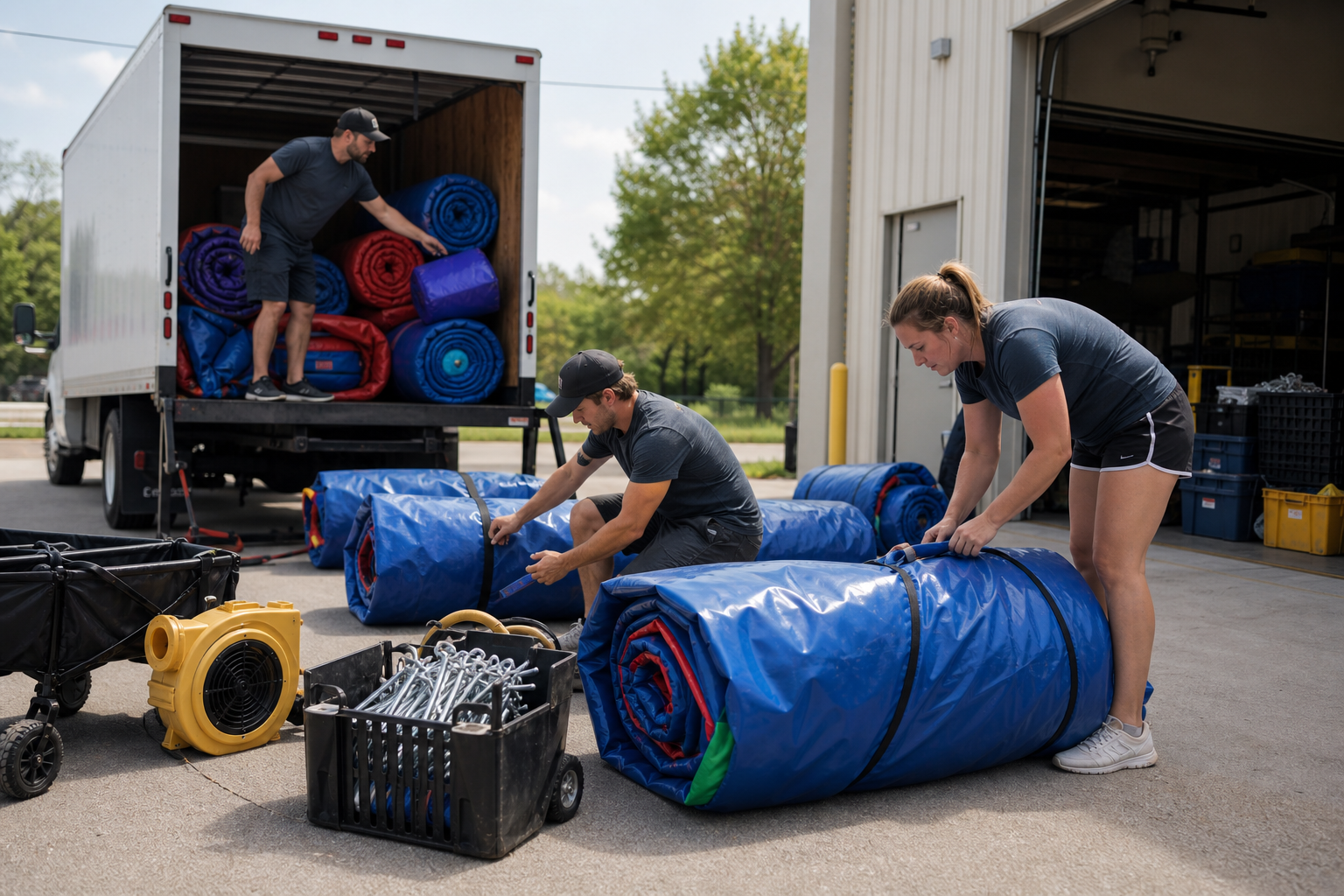
Phase 3: buy the entire job, not just the inflatable
| System | Typical components to plan | Why it matters |
|---|---|---|
| Equipment | Commercial unit, blowers, stakes or approved anchoring, tarps, cords, mats, repair materials. | The rental cannot operate safely with missing accessories. |
| Transport | Vehicle or trailer capacity, dollies, straps, ramps, load plan, backup. | Weight and volume limit how many jobs fit a route. |
| Cleaning | Approved cleaners, drying space, wet-unit process, inspection lighting. | A unit is not rentable until it is clean, dry, and checked. |
| Storage | Dry secured space, racks or pallets, pest and moisture control. | Poor storage shortens equipment life. |
| Administration | Phone, email, calendar, payments, contracts, accounting, photo records. | Information errors can create double bookings and failed deliveries. |
Phase 4: price from the full operating cost
Estimate labor for every touch: inquiry, loading, delivery, setup, pickup, cleaning, repair, and administration. Add vehicle cost, insurance, storage, payment processing, software, advertising, maintenance, replacement, and the expected effect of weather and seasonality. Then set the contribution and owner compensation the price must support.
Create delivery zones and minimum-order rules from route economics. Explain what the base rental includes, when delivery changes, how deposits work, and which site conditions can affect service. Transparent pricing saves staff time and prevents avoidable checkout conflict.
Qualify the site and route before promising the job
Miles alone do not describe a profitable delivery. Collect the address, surface, gate or hallway width, stairs, elevators, carry distance, parking or loading access, venue window, power, water, drainage, and pickup restrictions before confirming. Estimate the complete route during realistic traffic, including the return trip for pickup. A high-priced order can still be a poor job when it absorbs a crew and vehicle for most of the day.
Divide the service map into a core zone, scheduled outer zones, and addresses that require an exception quote. Save approved site details for repeat venues so each later booking becomes faster to qualify and route. Record declined jobs and their reasons; repeated requests for the same footprint, product, or delivery corridor can reveal where to expand without pretending every market operates the same way.
Universal job-fit check
Score each inquiry for service-zone fit, access certainty, setup footprint, venue approval, crew hours, route compatibility, weather exposure, and expected contribution. If a critical fact is unknown, the quote is not ready.
Phase 5: design the booking-to-pickup workflow
- Collect date, address, surface, access, event hours, guest ages, power, water, and product choice.
- Verify service area, availability, fit, and any venue requirements.
- Send the agreement, payment schedule, cancellation terms, and preparation checklist.
- Confirm the route, crew, equipment, accessories, and customer window before loading.
- Photograph setup and inspection, provide operating guidance, and document pickup condition.
- Clean, dry, inspect, repair, close the job, and request feedback.
Templates and automation should support these checkpoints without hiding exceptions. One owner must still be accountable for the calendar and final route.
Phase 6: launch with focused local demand
Create one accurate page per product and one strong page per genuinely served category and market. Use real photos, dimensions, capacity guidance, operating requirements, reviews, and clear booking steps. Build relationships with venues and organizations that can refer repeat events. Track the source and outcome of every inquiry.
Expand only after the current inventory earns, the team meets service standards, and cash reserves protect the operation. The first goal is not scale. It is a reliable loop that can be repeated without the owner solving every job from memory.
Use a 12-week launch instead of an open-ended startup
Use the first four weeks to finish the operating foundation: demand evidence, insurance, contracts, safety procedures, equipment records, route zones, pricing, and complete listings. Practice the full load, setup, inspection, removal, cleaning, and drying sequence with the vehicle and crew that will serve customers.
Use weeks five through eight to complete a manageable number of jobs inside the core zone. Document setup conditions, actual labor and route time, customer questions, source, contribution, and any failure or near miss. Improve the confirmation and preparation messages whenever a customer asks something the system should have answered.
Use weeks nine through twelve to review contribution by unit and route, repeat interest, weather interruptions, missed calls, cleaning capacity, declined requests, and cash after reserves. Add marketing only where profitable capacity exists. Add inventory or territory only where repeated demand, transport, storage, crew readiness, and reserves support the decision.
Monthly owner scorecard
Review qualified inquiries, close rate, completed revenue, contribution by unit, route hours, labor hours, cancellations, damage, missed calls, repeat customers, reviews, and cash reserves. Those numbers reveal whether the next investment belongs in inventory, people, vehicles, systems, or marketing.
Build a launch risk register
List the events most likely to interrupt service: unavailable crew, vehicle failure, damaged blower, unsafe weather, wet equipment, double booking, inaccessible site, payment problem, or a customer who cannot receive delivery. For each risk, name the prevention step, the person who decides, the backup resource, and the customer communication.
Review the register before the busy season and after every incident or near miss. The goal is not to predict every problem. It is to stop common problems from depending on the owner's memory while a crew and customer are waiting.
Know what ready to market means
Before increasing demand, every active unit should have current photos, dimensions, operating requirements, service-area rules, price logic, availability, cleaning status, and a complete accessory record. The phone and inquiry forms should reach an assigned person. The agreement, deposit, confirmation, weather, delivery, and pickup messages should be tested.
Marketing an unfinished operation creates expensive leads and preventable disappointment. A smaller launch with complete information usually produces better reviews and cleaner learning.
Continue the operator playbook
Use the next guide that matches the constraint you are solving now:
A practical next channel, when the operation is ready
A documented operating system makes an additional booking channel easier to absorb without creating calendar or fulfillment chaos. Bouncehouse360 can add local marketplace visibility without asking you to replace the system that already runs your business. Approved vendors can sync existing inventory with no upfront charge, receive booking opportunities that match their service area and availability, and keep fulfilling orders through their own operation.
It is one channel, not a substitute for good pricing, safe equipment, dependable delivery, or direct customer relationships. If your listings and calendar are ready for more demand, applying is the sensible next step.
See how the vendor marketplace works